From Navision to Business Central
We roll out ERP systems, build custom modules for them, or simply give advice. We have been working with Navision and the Dynamics family for 20+ years.
What is Business Central?
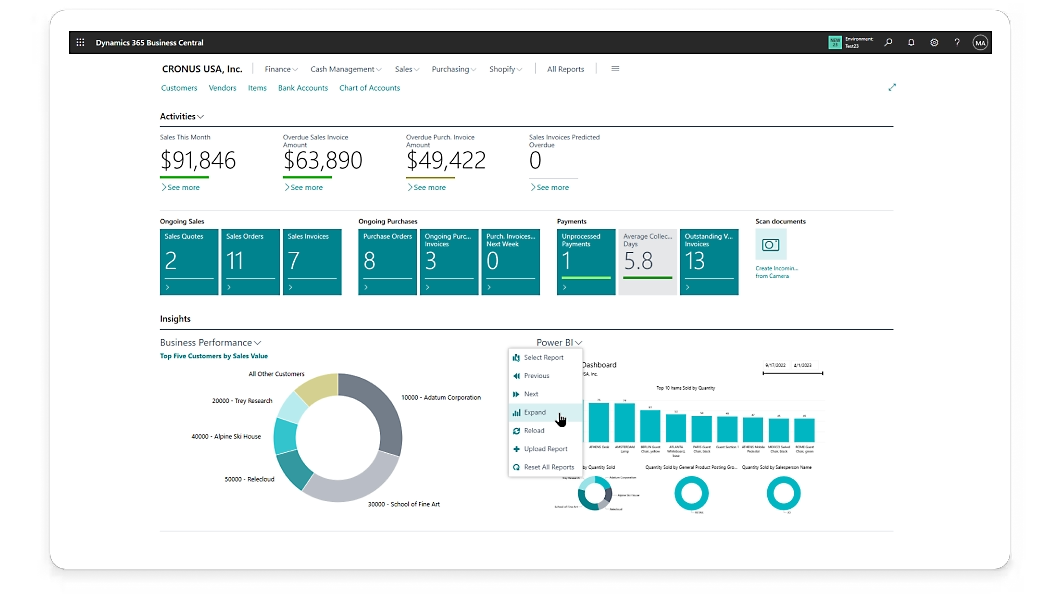
Business Central is Microsoft’s ERP system for small and medium-sized businesses. It has a history of more than 20 years: it started as Navision, became Dynamics NAV, and has been called Business Central since 2018. Its modular structure makes it easy to customise. As a licence reseller, we also upgrade from earlier NAV or Navision versions. We deliver the system with Hungarian localisation and settings that comply with current tax regulations.
Book a consultation20+ years of experience
Across Navision, Dynamics NAV and Business Central.
Hungarian localisation
Configured to comply with current Hungarian tax law.
Modular and extensible
Can be extended with industry-specific, tailored add-ons.
Cloud or on-premise
Choose the hosting model that fits your needs.
Which areas can Business Central cover?
Finance and accounting
Business Central handles the general ledger, budgets, and supplier and customer invoices in one place. You can track bank transactions and produce financial reports for management decisions. Automated processes mean less admin and fewer incorrect entries.
Purchasing, inventory and supply chain management
Manage purchase orders, keep inventory and warehouse records, track supplier relationships, and set stock levels so that the goods you need are available on time.
Project management and human resources (HR)
Plan projects, track costs and allocate resources. On the HR side you can keep employee records, payroll and benefits, and manage recruitment and performance reviews.
Sales, marketing and customer management
Alongside customer relationship management (CRM), you can manage quotes, orders and invoices. Plan and track marketing campaigns and measure sales performance. With all customer data in one place, you can build more targeted campaigns.
Manufacturing and production
Create production plans, manage production orders and work sheets, and run material requirements planning (MRP). Quality control and production costs can be tracked in the system too.
Which hosting model will you choose?
Business Central can be deployed on-premise, in the cloud (SaaS) or as a hybrid, depending on your needs.
On-premise
Runs on your own servers, with data available on your local network. Gives the most control when data protection requirements are strict.
Cloud / SaaS (recommended)
A cloud-based solution with data available from anywhere. Quick to deploy, with lower upfront costs.
Hybrid
Sensitive data stays on-site, while other applications and processes run in the cloud.
What an ERP system gives your company
An ERP system brings your company’s data and processes together in one place. These are the benefits you can expect.
Integrated data management
Every department works from the same database, so there are fewer errors and the data is more accurate.
Higher efficiency
Automated processes reduce manual work and human error.
Lower costs
Better use of resources, with lower inventory and administration costs.
Better decisions
Accurate, real-time reports support management decisions.
Scalability
The system grows with your company through new modules.
Better customer management
Customer data is available and analysable in one place, so you can serve your customers more personally.
Better project management
Project templates and timelines help you stay on schedule and on budget.
Optimised supply chain
Purchasing, inventory and logistics in one place, at lower cost.
Improved productivity
Automated workflows, with all data and tools available in one place.
Better resource management
More efficient allocation and use of people and materials.
Flexibility and customisation
Features and modules tailored to your industry and business model.
Global business support
Multi-language and multi-currency features, with international regulatory compliance.
Faster response times
React faster to market changes based on real-time data and alerts.
Sustainability
More efficient use of resources and a smaller environmental footprint.
Compliance and security
Built-in compliance features and safer data handling.
What are the drawbacks of Excel-based or in-house systems?
In the short term they are cheap and flexible. As the company grows, they cause more and more problems.
As the company grows, they struggle more and more with the growing volume of data and transactions.
Business Central is cloud-based and scales with your company without limits, with no extra infrastructure.
They are hard to connect to other business applications, which leads to duplicated data and isolated systems.
Native integrations (Outlook, Power BI, Teams and other systems) connect your processes to a single shared data source.
Updates, bug fixes and new features are expensive and time-consuming to introduce.
Microsoft provides updates and fixes automatically, so no in-house maintenance is needed.
Security is weaker, and the risk of data loss and unauthorised access is higher.
Enterprise-grade Microsoft cloud infrastructure, with access management and regular backups.
Manual errors are common in Excel (a broken formula, a mistyped value), and they can lead to bad decisions.
Built-in validation and automated processes keep manual data entry errors to a minimum.
They lack the modules and features an ERP system offers.
Finance, inventory, sales and manufacturing in one customisable system.
There is no documentation or support, so everything falls on the internal team.
Our team provides training and ongoing support both before and after rollout.
Analysing data and spotting trends is harder and slower than in an ERP system.
With Power BI integration you get real-time reports and customised dashboards.
They become harder and harder to connect to new technologies and platforms.
Open APIs make it easy to connect to modern platforms and custom developments.
They seem flexible at first, but later changes and extensions are costly and slow.
Its modular structure lets it grow with your company and take on new features.
Let's get in touch
Tell us in a few sentences what you need. We will get back to you within 1 business day.
-
Email rebit@rebitsoft.com
-
Facebook facebook.com/RebitSoftware
-
LinkedIn linkedin.com/company/rebitsoftware